Deploying a dedicated whiteboard calendar for November can transform a team’s workflow by making deadlines visible, aligning priorities, and creating a shared rhythm for the busiest month of the year. When the board is positioned in a high‑traffic area and updated in real time, each member instantly knows what’s due, where resources are allocated, and how their tasks intersect with broader objectives.
Why a November‑Specific Calendar Improves Focus
November often clusters end‑of‑quarter reports, holiday‑season planning, and inventory reconciliations. A single, month‑long visual schedule forces the team to break down these macro‑goals into weekly or daily buckets, preventing the “last‑minute scramble” that typically erodes quality. By anchoring all milestones to a visible grid, managers can spot bottlenecks before they become critical.
Embedding the Calendar into Routine Interactions
To extract maximum value, the whiteboard should become a standing agenda item. During the morning stand‑up, the facilitator reviews the board, highlights any overdue items, and assigns owners for the day’s top three actions. This habit creates a feedback loop: updates made on the board inform the conversation, and the conversation drives immediate updates.
- Set a “color code” system. Use one hue for client deliverables, another for internal reviews, and a third for cross‑department dependencies.
- Allocate a “buffer slot.” Reserve a row for unexpected tasks that invariably arise in November, such as emergency compliance checks.
- Synchronize digital tools. Mirror the whiteboard’s key dates in the team’s project‑management software so remote members receive the same cues.
Common Pitfalls and Mitigation Strategies
Even a well‑designed board can become counterproductive if it isn’t maintained. Stale entries, overly dense layouts, or a lack of ownership lead to disengagement.
- Neglecting updates. Assign a rotating “board steward” who is responsible for erasing completed items and adding new ones each day.
- Cluttered visuals. Limit each day’s column to no more than three tasks per team; excess items dilute attention.
- Excluding remote staff. Pair the physical board with a live‑stream camera or a simple weekly photo posted to the team channel, ensuring no one is left out of the visual loop.
Metrics to Gauge the Calendar’s Impact
Productivity gains are most convincing when backed by data. Track these three indicators throughout November and compare them to the previous month:
- Task completion rate. Percentage of scheduled items finished on or before the target date.
- Cycle‑time reduction. Average time from task assignment to delivery, measured in days.
- Meeting efficiency. Length of stand‑up meetings; a concise board should shrink the discussion window by at least five minutes.
When the metrics show improvement, the team can consider extending the practice to a rolling quarterly calendar, preserving the visual discipline while scaling its benefits.
Next Steps for Immediate Implementation
1. Purchase a magnetic whiteboard sized to accommodate a full‑month grid (minimum 4 ft × 6 ft).
2. Draft a template with date columns, color‑coded rows, and a dedicated “notes” section for ad‑hoc items.
3. Conduct a kickoff meeting on the first Monday of November to populate the board, assign the stewardship rotation, and align digital sync settings.
4. Review the three metrics at the end of the month and decide whether to adopt the board permanently.
PVC-gjennomføring

PVC-gjennomføring
SS571 Stainless Steel - Gjennomføring - Brommeland Elektronikk AS

SS571 Stainless Steel - Gjennomføring - Brommeland Elektronikk AS
1476161 Rutab Gjennomføring 3031644 | Staypro
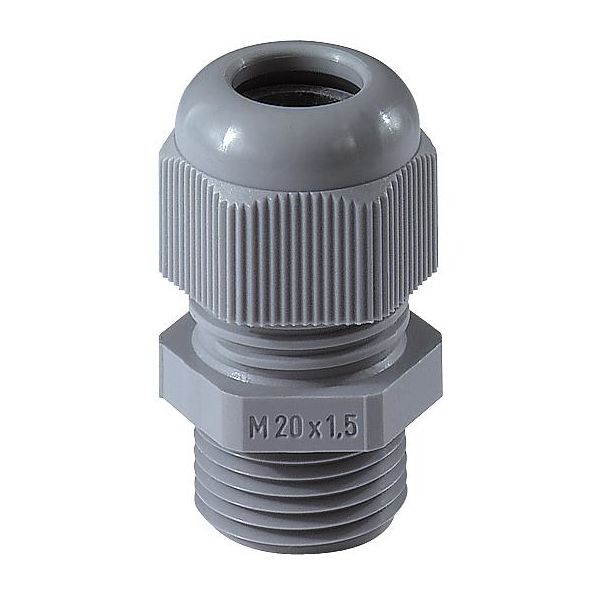
1476161 Rutab Gjennomføring 3031644 | Staypro
1467560 Rutab Gjennomføring 3026547 | Staypro

1467560 Rutab Gjennomføring 3026547 | Staypro
TFL Gjennomføring 10stk - Ø5 X 7.2 X 11.5mm - Elkjøp

TFL Gjennomføring 10stk - Ø5 x 7.2 x 11.5mm - Elkjøp